Razorpay Offline
Razorpay Offline
Overview
The Razorpay Offline integration allows merchants to collect payments through Razorpay’s offline terminal devices. This guide explains how to configure Razorpay Offline settings inside the JustBilling application.
Accessing Razorpay Offline
Navigate to: Integrations → Razorpay Offline. The configuration screen appears as shown below.
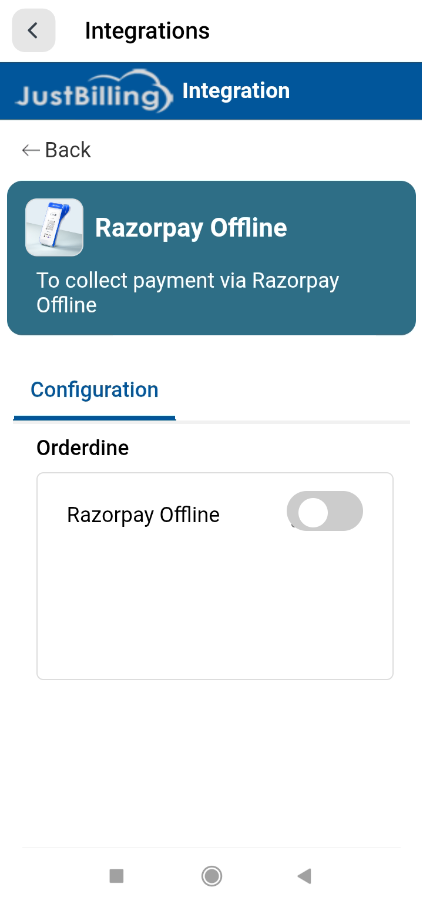
(Figure-1- Razorpay Offline Configuration)
Enabling Razorpay Offline
Use the toggle button at the top of the screen to enable or disable Razorpay Offline for the selected business unit.
Configuration Fields
• App Key – API key provided by Razorpay.
• Username – Razorpay account username mapped to the terminal.
• Branch – Select the branch where the terminal device is deployed.
• Device Name – Assign a unique device name for terminal identification.
• Terminal ID – Razorpay terminal ID.
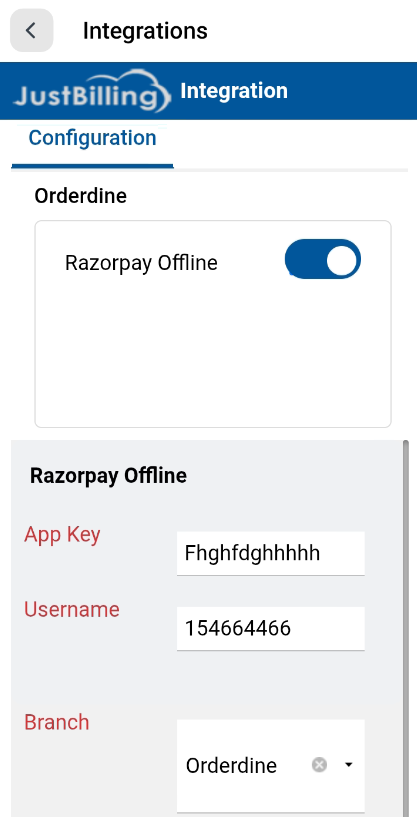
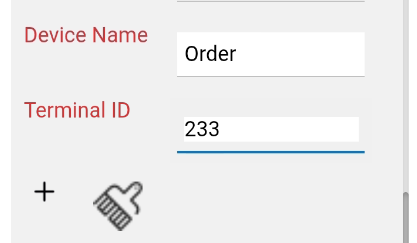
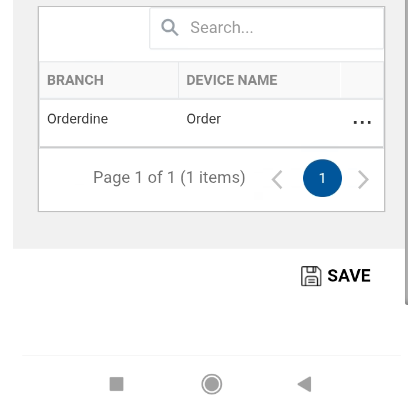
(Figure-2- Razorpay Offline Configuration)
Adding a Terminal
1. Select Branch.
2. Enter Device Name.
3. Enter Terminal ID.
4. Click the '+' icon to add the terminal to the list.
Saving Configuration
After entering the required details, click the SAVE button at the bottom of the page. A confirmation message 'Saved Successfully' will be displayed.