Pro Routing Integration 

This section explains how to configure and manage the Pro Routing integration inside JustBilling. Pro Routing allows automated delivery routing based on distance and weight limits.

Navigate to Pro Routing Integration

Go to Integrations → Pro Routing. Enable the toggle to activate the Pro Routing module.
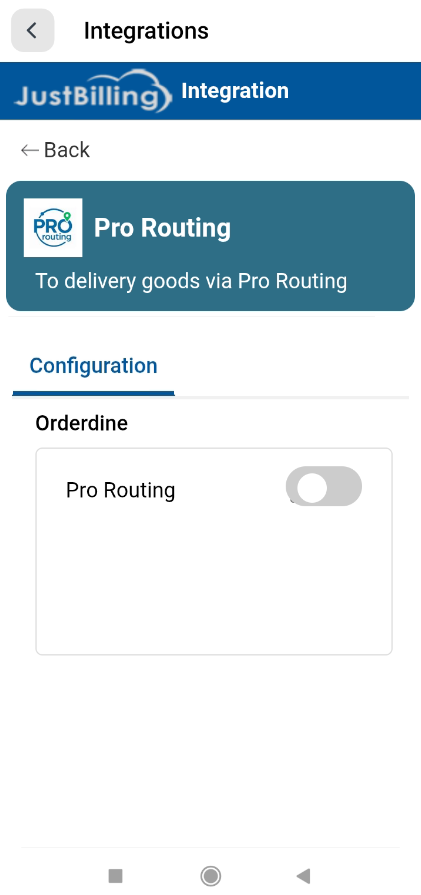


                                                                                            (Figure-1- Prorouting  Configuration)

Configure Pro Routing Settings

Once enabled, the configuration panel becomes visible. Fill in the required fields:

• Active – Check this option to activate routing rules.
• App Key – Enter the API key provided by Pro Routing.
• Maximum Distance Allowed – The maximum delivery distance (km) allowed.
• Maximum Weight Allowed – The maximum order weight (kg) allowed for routing.
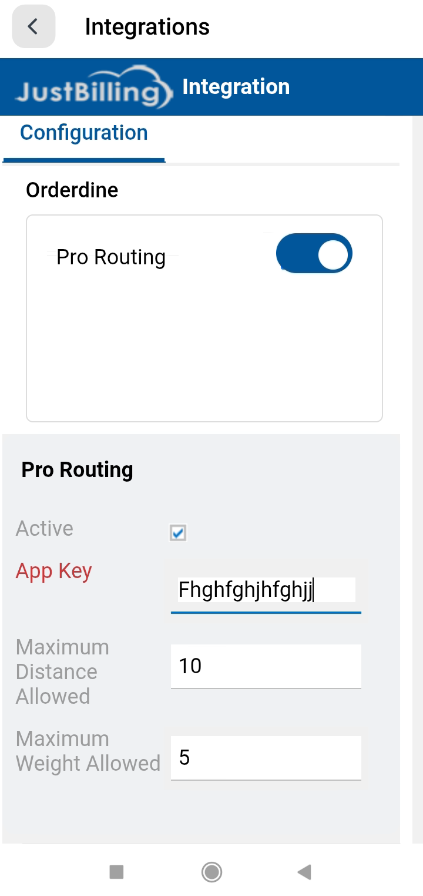


                                                                                         (Figure-2- Prorouting  Configuration)

Save Configuration

After entering all details, click the Save button. A confirmation message 'Saved successfully' appears.
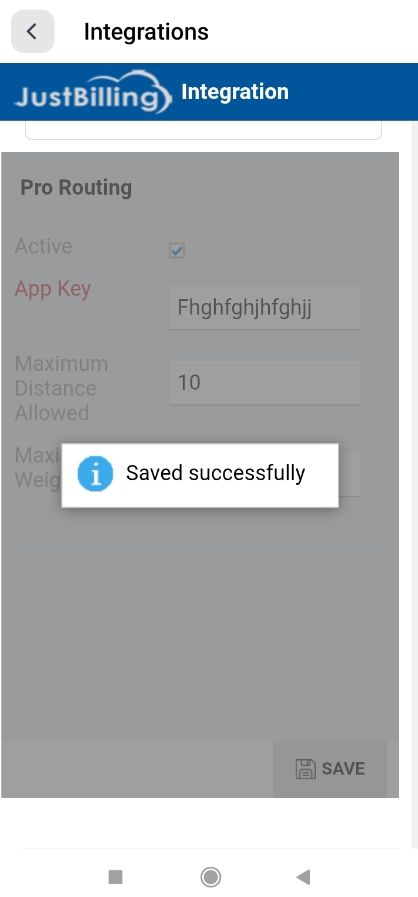


                                                                                                                                                                                         (Figure-3- Prorouting  Configuration)