SMS Lesmsbus
SMS Lesmsbus Integration (International SMS Service)
This guide explains how to configure, subscribe, and use the SMS Lesmsbus integration inside JustBilling to send international SMS notifications.
Introduction
SMS Lesmsbus is an international SMS gateway used to send alerts for:
- Orders
- Payments
OTP messages
Notifications
Delivery updates
Customer communication
This integration enables seamless global SMS delivery using a secure and compliant gateway.
Accessing the SMS Lesmsbus Integration
Open JustBilling Back Office.
Navigate to:
Integrations → SMS Lesmsbus
You will see two tabs:
Configuration
Subscription
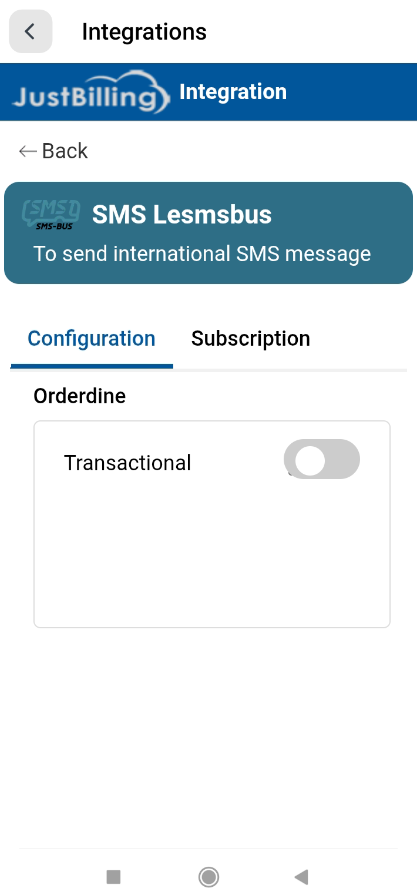
(Figure-1- SMS Lesmsbus Configuration)
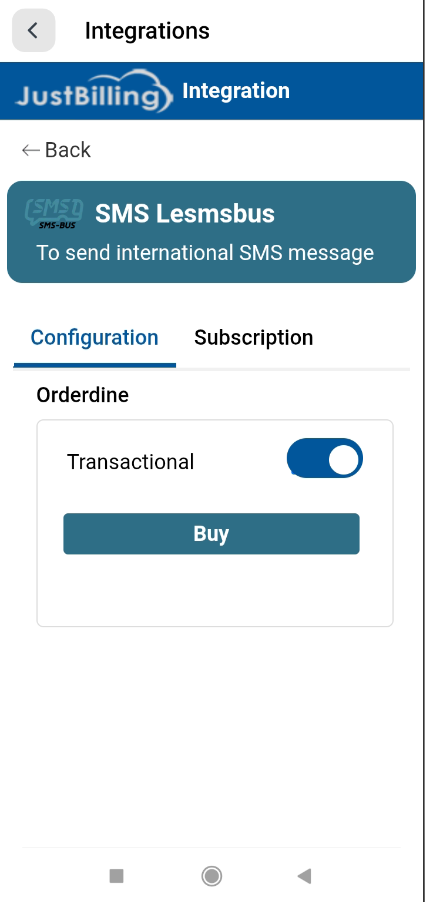
(Figure-2- SMS Lesmsbus Configuration)
Configuration Screen
SMS Lesmsbus – Configuration
This page lets you enable or disable the SMS Lesmsbus integration.
Fields Available:
|
Field |
Description |
|
Transactional ON/OFF toggle |
Enables or disables SMS sending through Lesmsbus. |
|
Buy button |
Opens subscription purchase popup. |
When the toggle is ON, the system will route all international SMS through Lesmsbus.
Subscription Purchase
Buy/Renew Subscription Popup
When you click Buy, the subscription popup appears.
Fields inside the popup:
|
Field |
Description |
|
Quantity |
Number of international SMS credits you wish to purchase. |
|
Price |
Cost per selected quantity. |
|
Total Price |
Auto-calculated based on quantity. |
|
Pay Now |
Proceeds to payment page. |
Users can increase or decrease SMS quantity using + / – buttons.
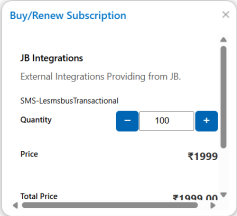
(Figure-3- SMS Lesmsbus Configuration)
Making the Payment
A secure payment page opens showing:
Payment Details:
Purpose: Payment for Subscription / SMS credits
Amount: ₹1,999
Name, Email & Phone fields prefilled
"Terms of service" & "Refund policy" links
Steps to Make Payment:
Verify your name, email, and phone number.
Click Next.
Choose a payment mode:
- UPI (BHIM, GPay, Paytm)
- Debit/Credit Cards
- Net Banking
- Wallet.
Complete your payment.
Once payment succeeds, your SMS balance is updated automatically.
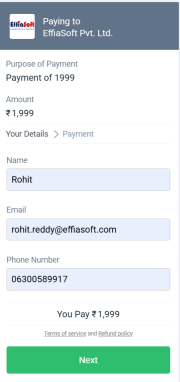
(Figure-4- SMS Lesmsbus Configuration)
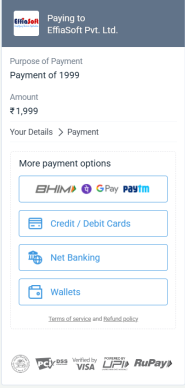
(Figure-5- SMS Lesmsbus Configuration)