E-Commerce
Ecommerce
This section explains the configuration options available under the Ecommerce Integration in JustBilling. When the user selects 'Manage' under Ecommerce Integration, the following configuration options are displayed.
Ecommerce Activation
- Toggle the Ecommerce switch to enable or disable ecommerce functionality.
- Displays the subscription expiry date for ecommerce services.
- The 'Buy' button is available to renew or upgrade the ecommerce plan.
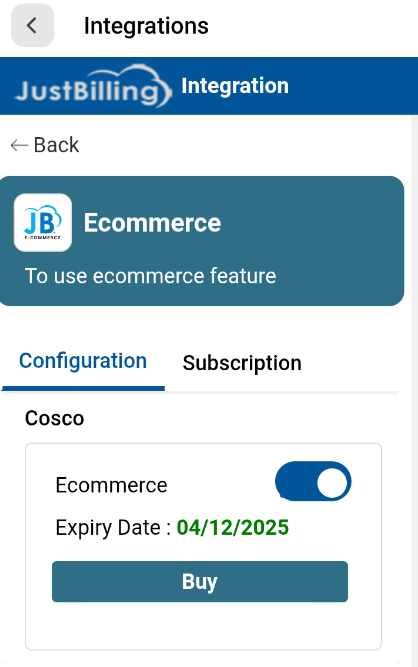


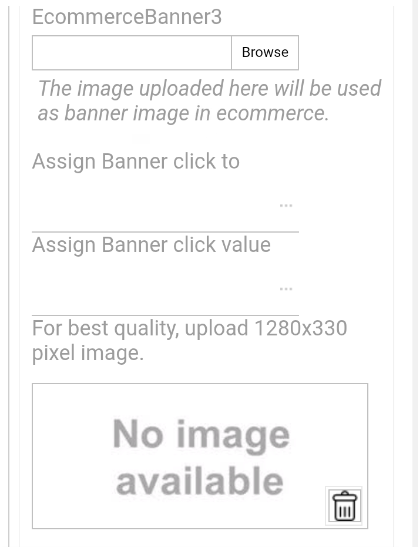


(Figure-1- Banners,Others.Print QRcode,Serviceable and Delivery Configuration)
Banners Configuration
You can upload up to three ecommerce banners. Each banner supports a recommended image size of 1280x330 pixels for best display quality.
For each banner, configure the following:
- Upload Banner Image
- Assign Banner Click Action (Product or Category)
- Choose the corresponding Product or Category
Others
- Price Catalog: Select the pricing structure to be used in ecommerce.
- Select Payment Mode: Choose the online payment gateway such as Instamojo,phonepe,etc.
Print QR Codes
- Select a QR code type.
- Click 'Print' to generate the QR code for customer use.
Serviceable Distance
Configure store-level delivery settings:
- Serviceable Distance (in kilometers)
- Minimum Order Value
- Enable/Disable Ecommerce for the branch
Delivery Options
Choose the delivery methods available for your ecommerce operation:
- 3PL Delivery: Enable third-party logistics delivery.
- Internal Delivery: Enable store-managed delivery.
- Store Pickup: Allow customers to pick up from the store.