Stripe S700
Stripe S700 Integration (Windows)
This section explains how to configure and use the Stripe S700 payment device with the JustBilling POS application on Windows to accept secure in-store card payments.
Overview
Stripe S700 is a countertop payment terminal that enables merchants to process card-present payments directly from the Windows-based POS system. Once configured, the device connects to Stripe to securely authorize and capture payments.
Accessing Stripe S700 Integration
- Navigate to JustBilling → Integration.
- Select Stripe (S700 Device) from the list of available integrations.
- The Stripe S700 configuration screen is displayed.
Screen Components:
- Stripe S700 integration banner
- Configuration tab
- Enable/Disable toggle
- Stripe S700 configuration fields
- Device listing grid
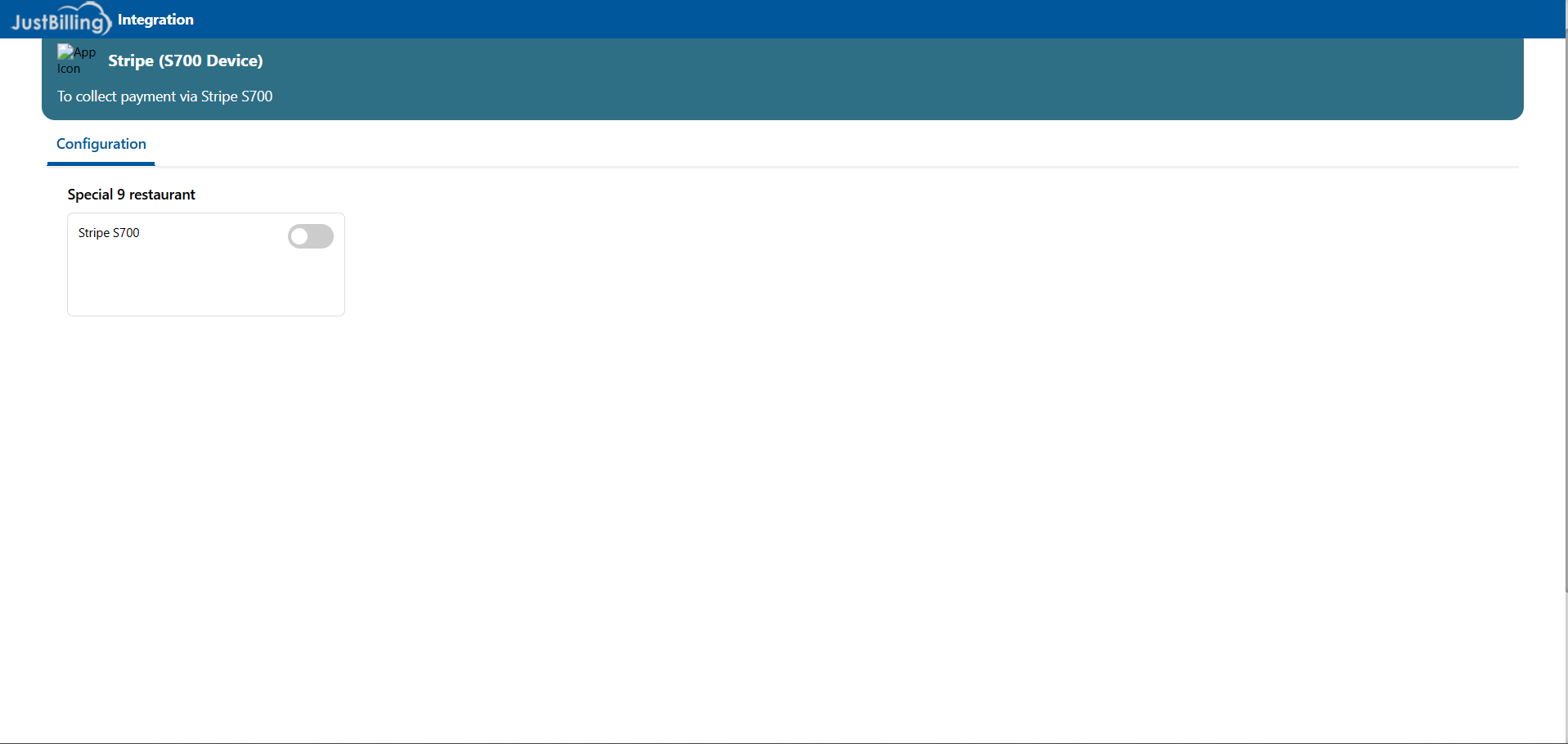
( Figure-1-Stripe S700)
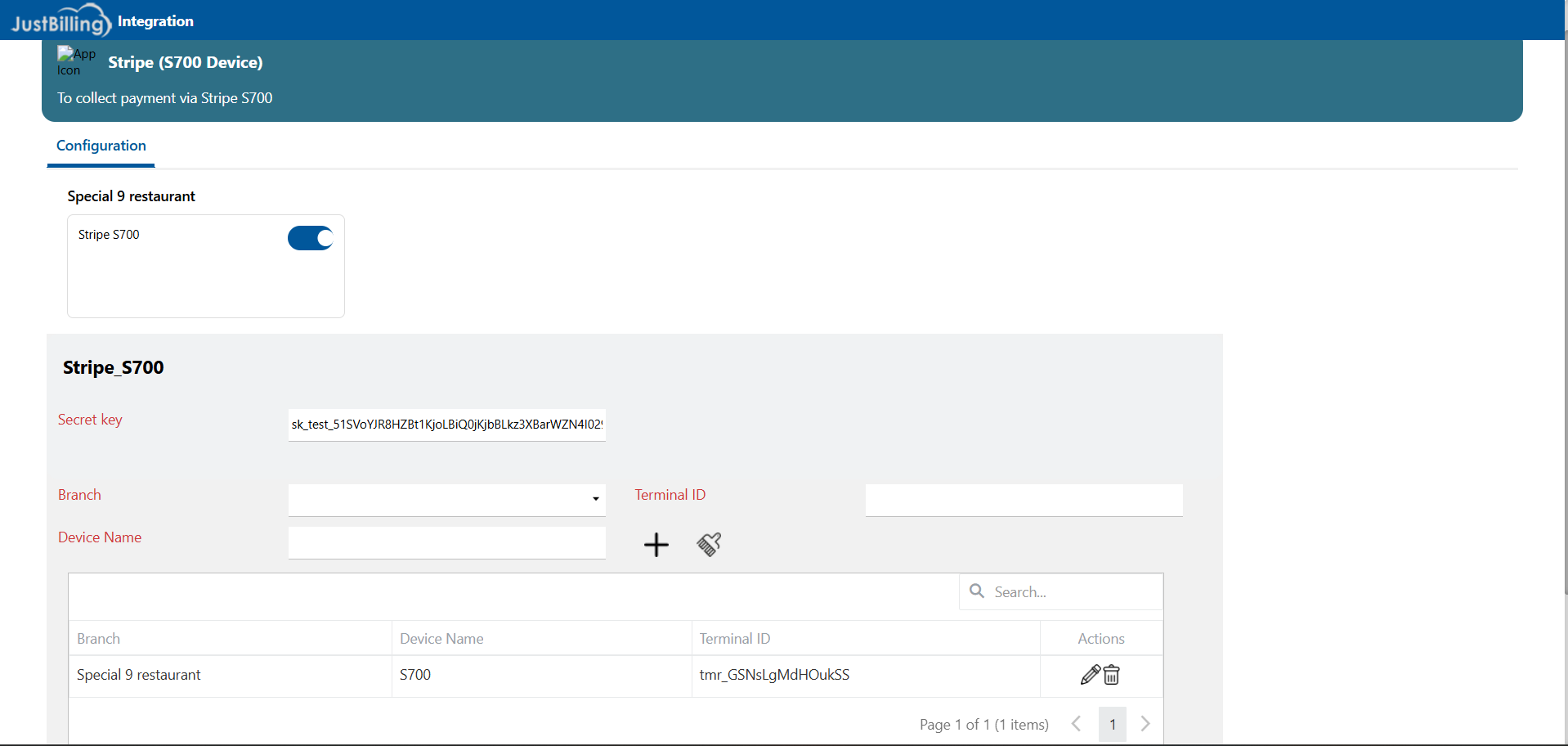
( Figure-2-Stripe S700)
Enabling Stripe S700 for a Restaurant
Steps to enable Stripe S700:
- Under the Configuration section,
- Locate the Stripe S700 toggle switch.
- Turn the toggle ON to enable Stripe S700 for the selected restaurant.
Note:
When Stripe S700 is disabled, device configuration and payment options are unavailable in the POS.
Stripe S700 Configuration Details
Once enabled, the Stripe_S700 configuration section becomes visible.
Required Fields
|
Field Name |
Description |
|
Secret Key |
Stripe Secret API Key used to authenticate transactions |
|
Branch |
Outlet/branch where the S700 device is installed |
|
Device Name |
Friendly name assigned to the S700 device |
|
Terminal ID |
Unique identifier generated for the Stripe S700 terminal |
Adding a Stripe S700 Device
Steps to add a device:
- Enter the Secret Key obtained from the Stripe Dashboard.
- Select the Branch where the device will be used.
- Enter a Device Name (e.g., S700 Counter 1).
- Click the Add (+) icon to generate or register the Terminal ID.
- The device details will appear in the device list grid.
Managing Stripe S700 Devices
The device grid displays the following details:
- Branch
- Device Name
- Terminal ID
- Actions (Edit / Delete)
Available Actions:
- ✏️ Edit – Modify device details
- 🗑️ Delete – Remove the device mapping
Note:
Deleting a device removes its association with the POS and disables payments from that terminal.
POS Payment Behavior (Windows)
After successful configuration:
- Stripe S700 appears as a payment option during POS billing
- The POS communicates with the S700 device over the network
- Customers can tap, insert, or swipe cards
- Payment confirmation is displayed on both POS and device screens
- Transactions are logged in payment reports
Disabling Stripe S700 Integration
To disable Stripe S700:
- Navigate to Stripe (S700 Device).
- Turn the Stripe S700 toggle switch OFF.
- Stripe S700 will no longer be available for payments.
Important Notes
- Stripe S700 requires stable internet connectivity
- The Secret Key must match the correct Stripe environment (Test or Live)
- Each terminal must have a unique Terminal ID
- Windows POS must be properly connected to the S700 device